Sidebar
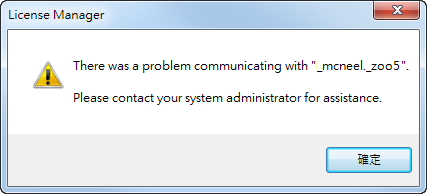
Rhino 5: Error _mcneel._zoo5
Problem
Rhino 5 cannot run and shows an error message about “_mcneel._zoo5”.
This problem happens when Rhino 5 runs for the first time after it's been installed.
Cause
An unknown Windows problem has damaged the Rhino license file on your computer.
Solution
- Use the instructions in this support page to delete the Rhino license file: http://wiki.mcneel.com/zoo/converttostandalone
- Start Rhino 5. You will get a message about a missing license file.
- Use one of the options below:
a) If you have a Rhino 5 key code for computer, click Enter a License and enter your license key.
b) If you use a Zoo floating license server, select Use a Zoo and set the Zoo server name/IP.
c) If you don't have a Rhino 5 key, click Evaluate.
rhino/rhino5/error_mcneel._zoo5.txt · Last modified: 2020/08/14 (external edit)

