Sidebar
Cloud Zoo License Usage Report
Setup Your Team
Go to your Rhino account. Set up a Team, add your licenses to the Team and then invite users to your Team.
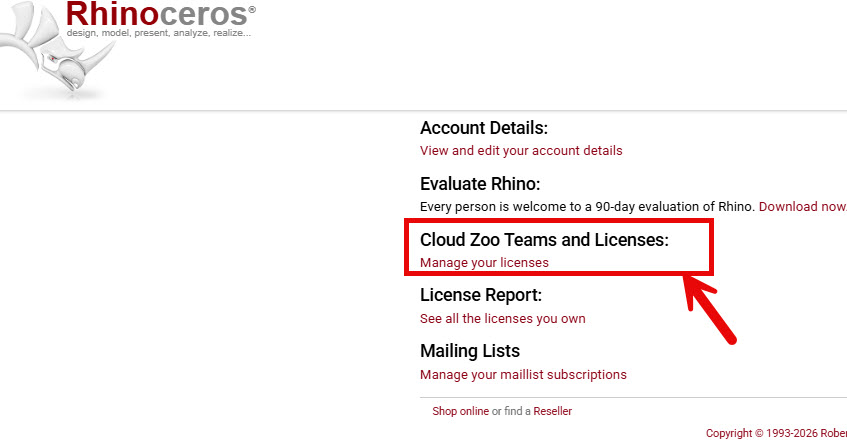
To see what users are using your licenses, pick Cloud Zoo Teams and Licenses

- Only the Team owner and admins can see the Rhino usage.
- You will need to make a Team member an Admin if you want them to see this.
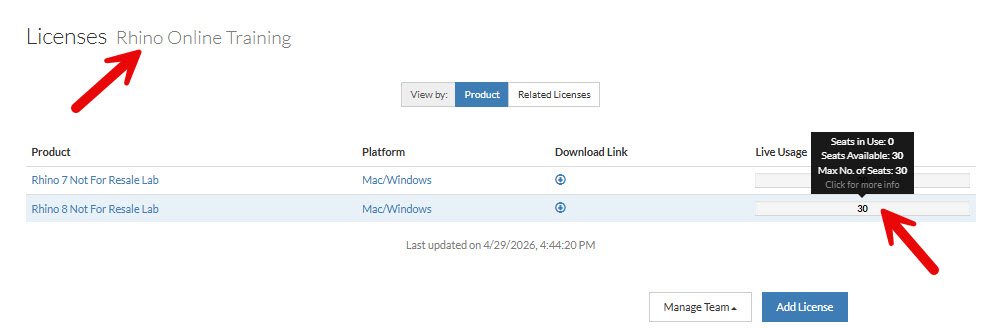
Usage Bar will show how many user have a license in use.
 With License chains of Rhino 6, 7, or 8, checking out one version will show usage for all the licenses in the chain. They are linked or chained together.
Get a report of your license usage:
- Go to your https://www.rhino3d.com/my-account/:
- CloudZoo Teams.
- Pick on your Team.
- And see the usage report on the screen.


rhino_accounts/licenseusage.txt · Last modified: 2026/06/12 by maryfugier

